
Playground
Run Wakaru in your browser. Nothing to install, and no code leaves your machine.
Use the playground to see what Wakaru can recover, compare settings, or share a small example. It runs the same engine as the CLI in your browser. Your code is processed locally, with nothing to install or upload.
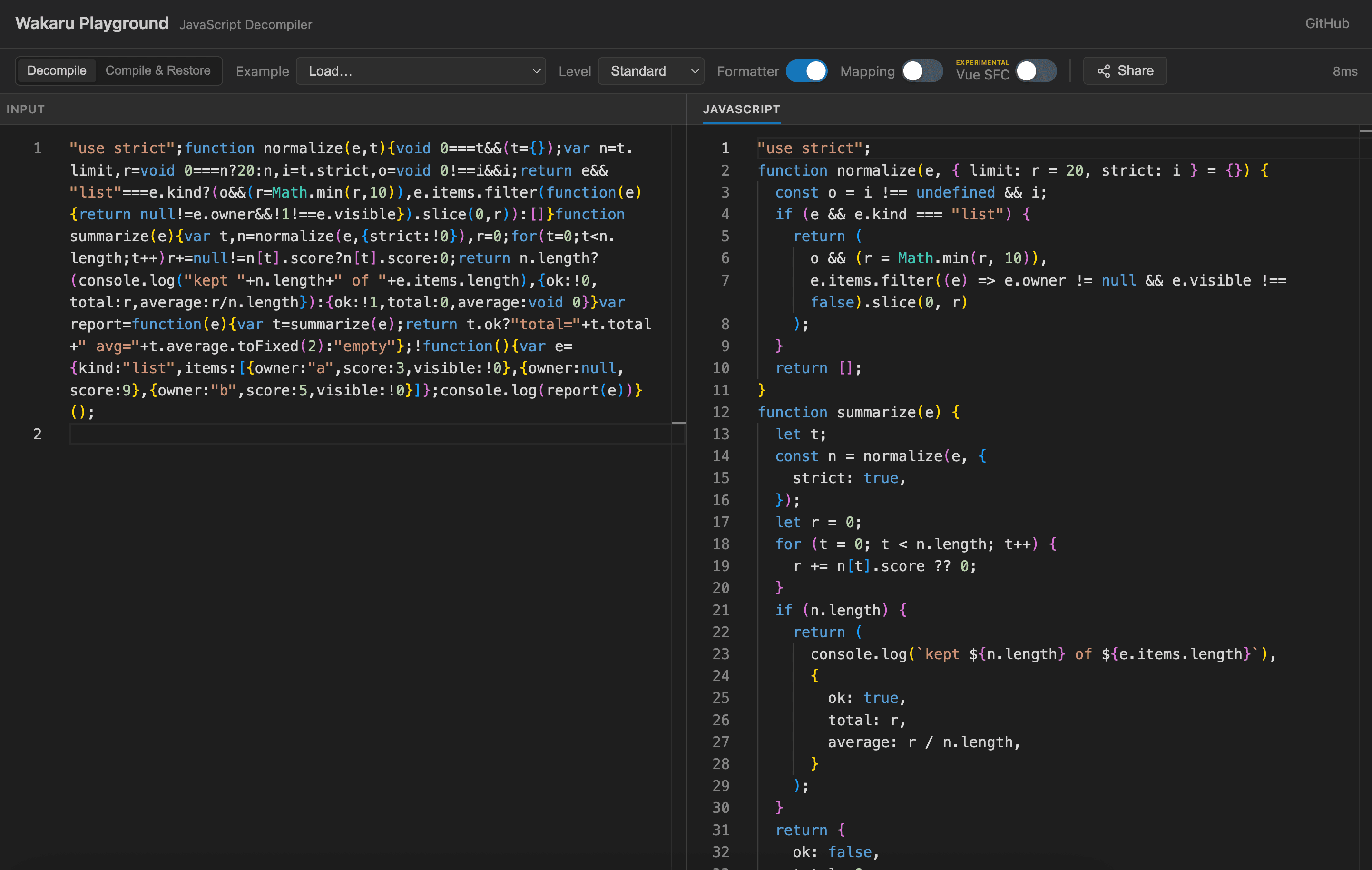
Read minified code
Paste JavaScript into the left pane in Decompile mode. Readable output appears on the right and updates as you edit. If you do not have a file handy, choose a sample from Example.
Start with the default Standard level. Switch to Minimal to stay closer to the input's behavior, or Aggressive to try further recovery. See Rewrite levels for an example of the difference.
The playground also formats the result by default. If you are comparing
it with CLI output, turn off Formatter or add --formatter to your CLI
command. Warnings appear below the output.
See what survives a round trip
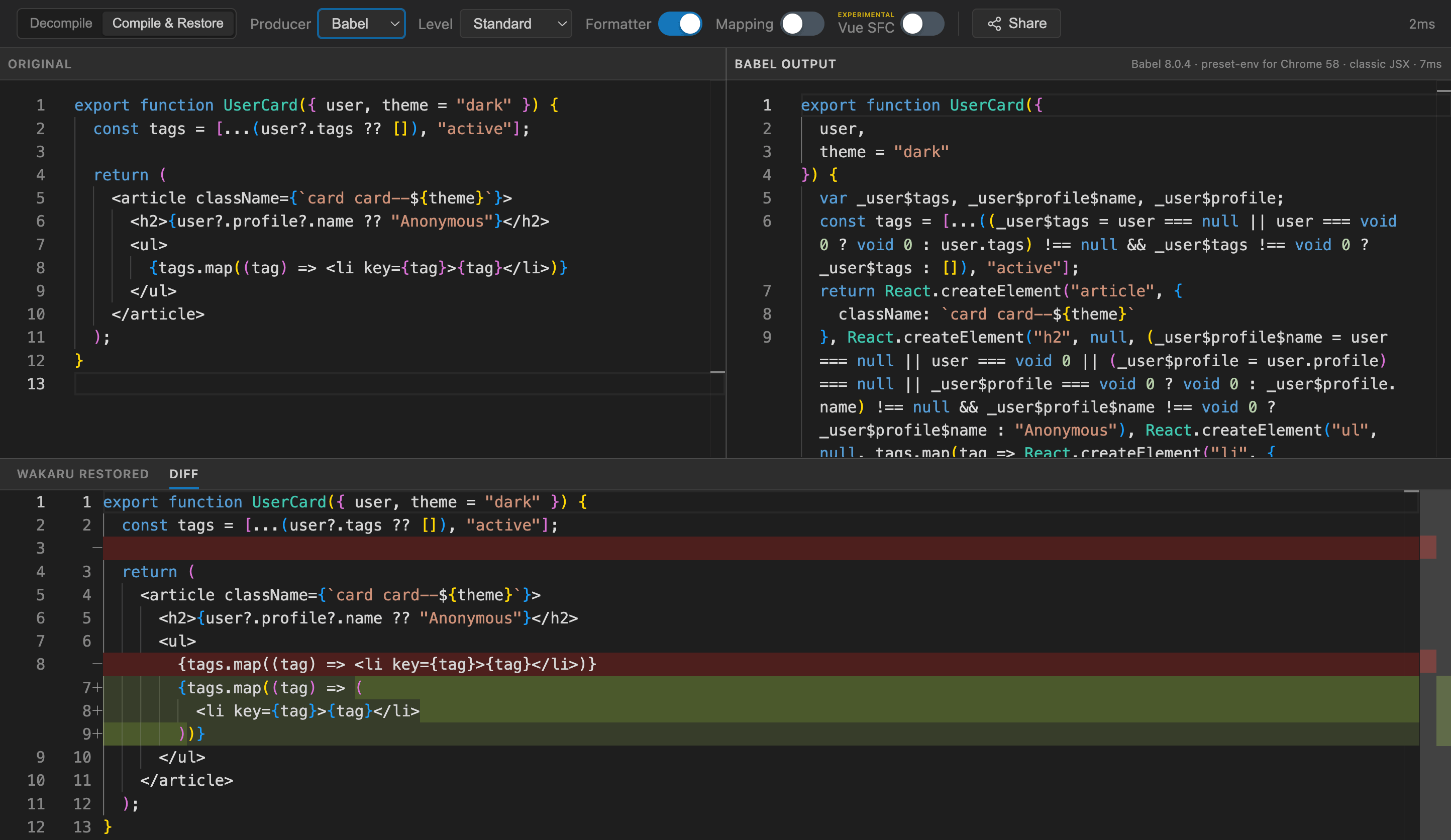
Want to see how well Wakaru restores a particular JavaScript pattern? Choose Compile & Restore and write modern JavaScript or JSX on the left. Pick Babel, SWC, or esbuild under Producer. The playground compiles your code, then passes that output to Wakaru.
You can inspect all three versions: your source, the compiled code, and the restored result. Open Diff to compare the result with what you wrote. Try changing a condition or JSX expression and watch how the compiled and restored versions respond.
Trace a change back to the input
Turn on Mapping when you want to see where recovered code came from. Mapped output lines are colored by their input line. Hover a line on either side to highlight the corresponding code on the other.
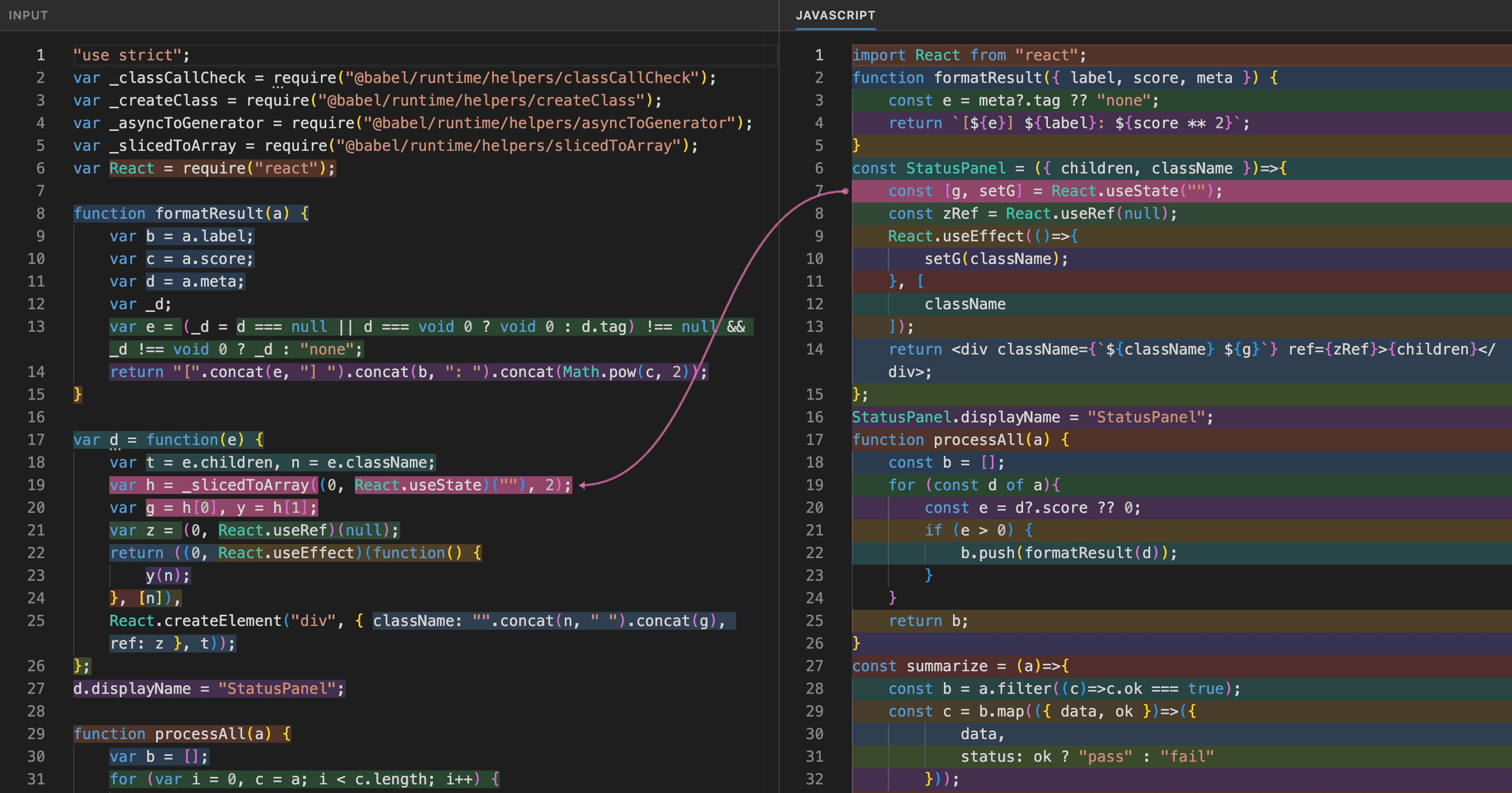
Mapping turns off the formatter to keep those positions aligned. The percentage beside the switch shows how much of the output has a mapping. See Source maps to save mappings with the CLI.
Read a Vue component
For compiled Vue 3 code, turn on Vue SFC to try recovering a template and setup code. When recovery succeeds, a Vue SFC tab appears beside the JavaScript output, so you can compare both views of the component.
This is experimental. If recovery is not possible, the JavaScript output remains available. See Vue SFC for an example and what can be recovered.
Share an example
Click Share to copy a link with your code and settings. Someone else can open it and continue from the same example, which is useful for discussing a result or reporting a bug.
The code is stored in the link itself. Anyone with the link can read it. If the input is too large to share, the playground tells you. For bug reports, include the engine version and commit shown in the header too.
When to use the CLI instead
Use the CLI to unpack bundles, process multiple files, or apply an input source map. It is also the better fit for large inputs and scripted workflows.
See Quick Start for the first commands.